Garmin GPSMAP 67i
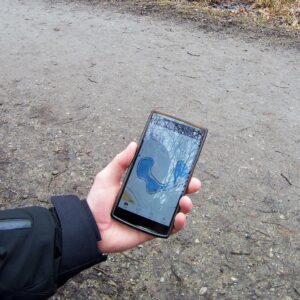
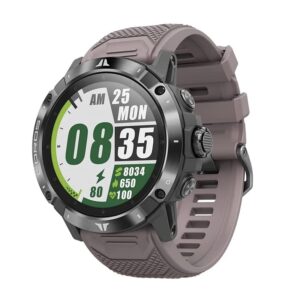
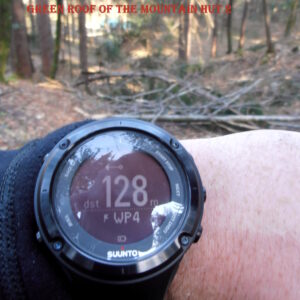
When you are hiking far away from the civilization you need reliable navigation. Smartphones are fantastic for day hikes and casual back‑country excursions, yet their batteries drain fast, screens can crack easily, and they often struggle to get a GPS fix in forests and narrow valleys. GPS watches are gaining popularity and are undoubtedly useful for navigation. Nevertheless, we prefer handheld GPS devices for their battery life, ease of use and in most cases superior maps. Many handheld GPS devices show detailed maps and in some cases, even satellite imagery. In contrast, most GPS watches can only display your location and direction concerning waypoints and routes (breadcrumb trail). The ability to easily insert new waypoints and plan routes directly on the device is another plus of handheld GPS devices. To achieve this on a GPS watch, you’d typically need a computer or a smartphone with a working internet connection.
Here we have selected the five best handheld GPS devices for 2026. Each unit offers rugged construction, multi‑GNSS support for faster fixes, outstanding battery life, and some even advanced safety features like SOS messaging. Use this guide to pick the right device for your next adventure – but remember that no GPS replaces basic navigation skills. You should never do a trail you don’t know without a map and compass.
Updated Content
We regularly update our reviews and selections to always recommend you the best products on the market.
Expert Selections
We only list top-tier products. Read how our selections of best hiking products differ from others here.
Links
We use affiliate links and may receive a small commission on purchases at no extra cost to you.
1. Our Hiking GPS Picks
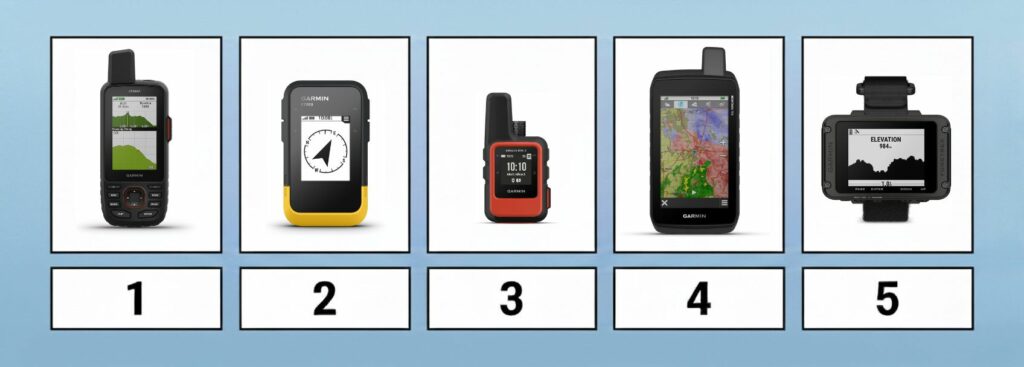
The Best Hiking GPS
- Garmin GPSMAP 67i – Best overall GPS for hiking
- Garmin eTrex SE – Best budget hand-held GPS
- Garmin inReach Mini 2 – Best ultra‑light GPS and satellite messenger
- Garmin Montana 700 – Best touchscreen GPS
- Garmin Foretrex 801 – Best hands‑free GPS
2. Comparison of Hiking GPS Devices

| Feature/Product | Garmin GPSMAP 67i | Garmin eTrex SE | Garmin inReach Mini 2 | Garmin Montana 700 | Garmin Foretrex 801 |
|---|---|---|---|---|---|
| Weight | 8.11 oz. | 5.5 oz. | 3.5 oz. | 14.5 oz. | 3.8 oz. |
| Weight (Metric) | 230 g | 155 g | 100 g | 410 g | 108 g |
| Size | 2.5 x 6.4 x 1.4 in. | 2.4 x 4.0 x 1.3 in. | 2.04 x 3.9 x 1.03 in. | 3.4 x 7.2 x 1.3 in. | 2.9 x 1.9 x 0.9 in. |
| Size (Metric) | 6.2 x 16.3 x 3.5 cm | 6.1 x 10 x 3.3 cm | 5.17 x 9.9 x 3.6 cm | 8.76 x 18.3 x 3.3 cm | 7.3 x 4.8 x 2.2 cm |
| Display | 3'' | 2.2" | 1.3" | 5" | 2.2" |
| Touchscreen | No | No | No | Yes | No |
| Battery Life | 180 hr / 840 hr | 168 hr / 1 800 hr | 14 days / 30 days | 18 hr / 330 hr | 100 hr / 1 000 hr |
| Battery | Rechargeable lithium-ion | 2 AA batteries (not included) | Rechargeable lithium-ion | Rechargeable lithium-ion or 3 AA batteries | 2 AAA batteries |
| Technology | GPS + Galileo + BeiDou + IRNSS + QZSS | GPS + GLONASS + BeiDou + Galileo | GPS + Galileo + QZSS | GPS + GLONASS + Galileo | GPS + GLONASS + Galileo |
| Electronic Compass | Yes | Yes | Yes | Yes | Yes |
| Barometric Altimeter | Yes | Yes | Yes | Yes | Yes |
| Waterproof | Yes (IPX7) | Yes (IPX7) | Yes (IPX7) | Yes (IPX7) | Yes (IPX7) |
| Memory Card Support | Yes | Yes | Yes | Yes | Yes |
| Routes Memory | 250 | 100 | 100 | 250 | 50 |
| POIs Memory | 20000 | 1000 | 1000 | 20000 | 500 |
| Supports Standard Batteries | No | Yes (2 AA batteries) | No | Yes (3 AA batteries) | Yes (2 AAA batteries) |
| Wireless Connectivity | Bluetooth, Wi-Fi and ANT+ | Bluetooth | Bluetooth, ANT+ | Bluetooth, Wi-Fi and ANT+ | Bluetooth, ANT+ |
| Camera | No | No | No | Optional (750i model) | No |
| Geocaching-friendly | Yes | Yes | Yes | Yes | No |
| Trip Planning Software | Yes (BaseCamp, Garmin Explore) | Yes (BaseCamp, Garmin Explore) | Yes (BaseCamp, Garmin Explore) | Yes (BaseCamp, Garmin Explore) | Yes (BaseCamp, Garmin Explore) |
3. The Selection
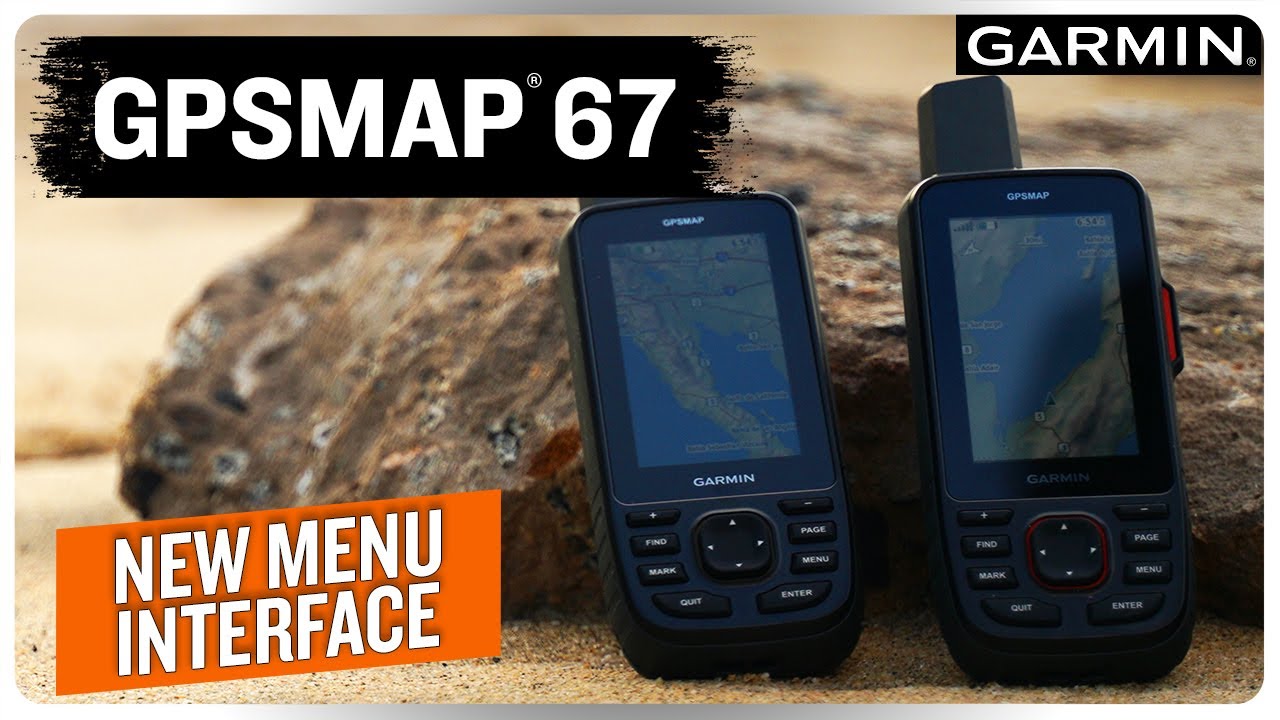
Garmin GPSMAP 67i
Garmin GPSMAP 67i
Best overall GPS for hiking
Best for:
- Adventurers who want one rugged device for navigation and satellite communication
- Long expeditions where battery life, mapping and accuracy are critical
- Users who prefer buttons over touchscreens, especially in cold or wet conditions
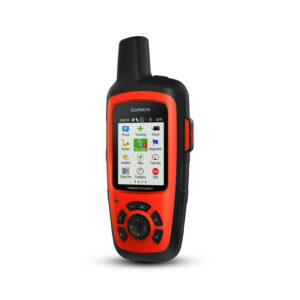
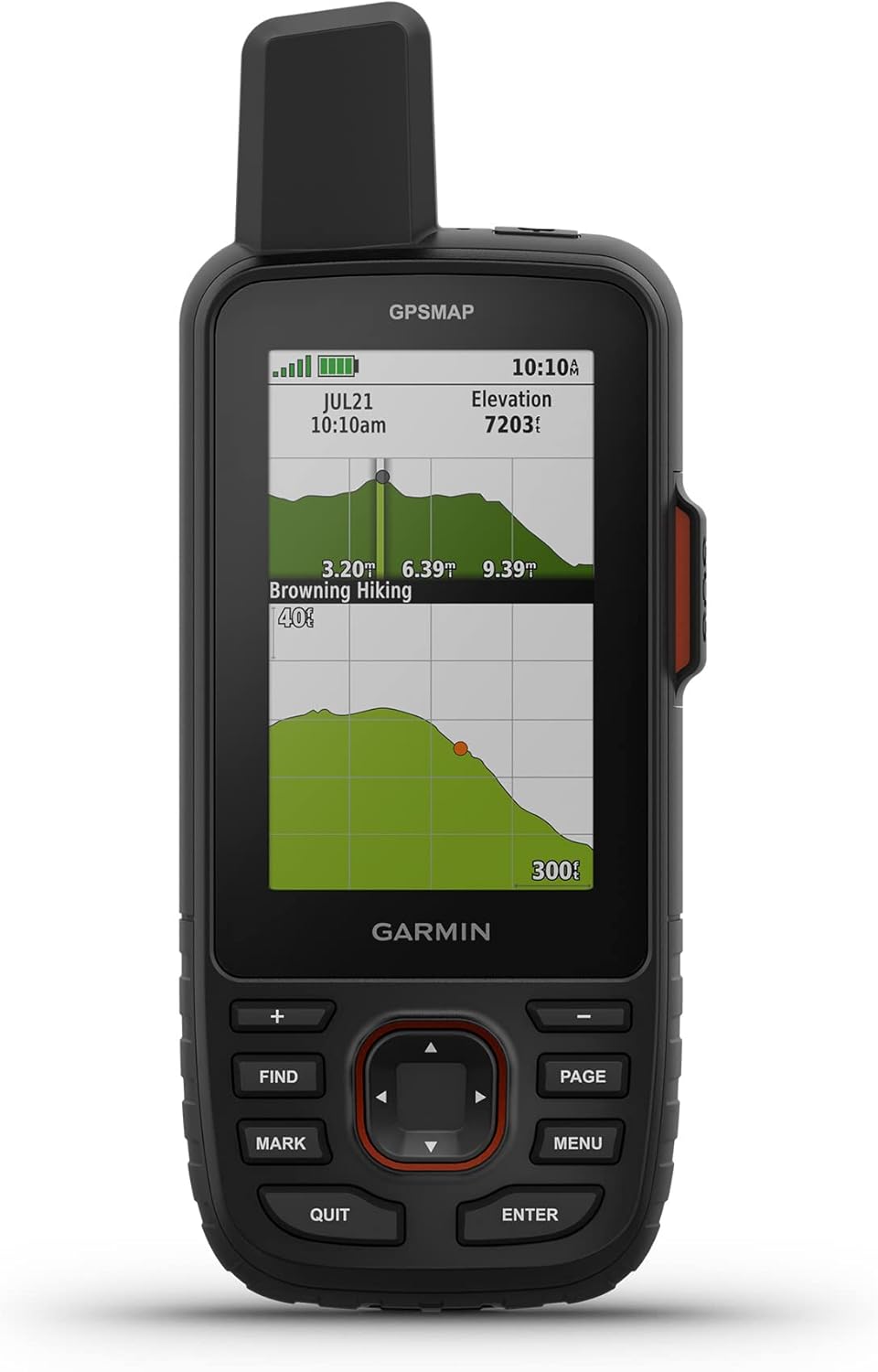
The Garmin GPSMAP 67i is the best choice for hikers who want a fully featured handheld GPS and satellite messenger in one device. It builds on the excellent GPSMAP 66i but improves the two things that matter most in the backcountry: accuracy and battery life. The device uses a quad-helix antenna and multi-band GNSS support for GPS, GLONASS, Galileo, QZSS, BeiDou and IRNSS. This allows it to maintain a reliable position fix even in dense forest, narrow valleys and other challenging terrain where smartphones and simpler GPS units often struggle.
The GPSMAP 67i comes preloaded with TopoActive maps and also supports satellite imagery downloads, which is very useful when you are planning routes away from marked trails. We also like that the physical buttons are easy to use with gloves and that the device feels much more dependable than a phone in rough conditions. The built-in inReach technology is another major advantage because it enables two-way satellite messaging, location sharing and SOS functionality via the Iridium network. However, you do need an active satellite subscription to use these features.
Battery life is excellent for such a capable device. Garmin lists up to 180 hours of tracking in standard mode and up to 840 hours in expedition mode. The downside is that the GPSMAP 67i is not particularly light or compact, and the interface feels old-fashioned compared to modern smartphones and touchscreen GPS devices. Nevertheless, for serious hiking, backpacking and expeditions, it is one of the most reliable and versatile handheld GPS devices currently available.
Performance Score
The Advantages
- Excellent multi-band GNSS accuracy
- Built-in inReach messaging and SOS
- Very long battery life
- Preloaded TopoActive maps
- Reliable button interface for cold and wet conditions
- Rugged and weather-resistant construction
The Considerations
- Expensive
- Heavier than simpler handheld GPS units
- Satellite messaging requires a subscription
- Interface feels dated compared to smartphones

Video
Garmin eTrex SE
Garmin eTrex SE
Best budget GPS
Best for:
- Budget-conscious hikers and backpackers
- Users who want a simple backup GPS for paper maps
- Trips where replaceable AA batteries are more practical than charging
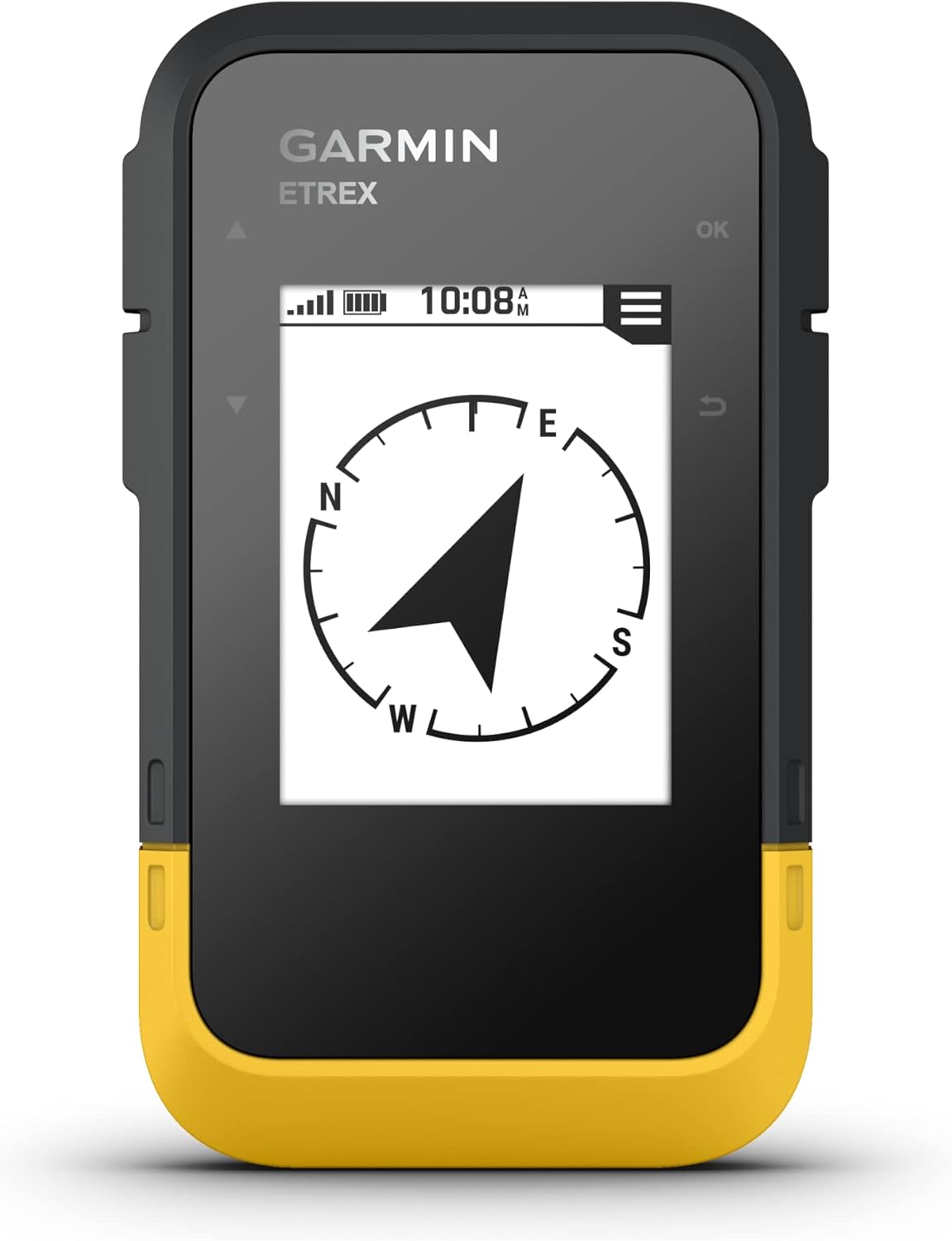
The Garmin eTrex SE is a simple, affordable and very durable handheld GPS. It replaced the old eTrex 10 and brings several important upgrades, including much better battery life, multi-GNSS support and Bluetooth connectivity for the Garmin Explore app. It does not have detailed onboard maps, which is its biggest limitation, but it works very well as a dependable backup navigation device for hikers who still use paper maps or smartphone mapping apps.
The eTrex SE supports GPS, GLONASS, Galileo, BeiDou and QZSS satellite systems, which helps it achieve a faster and more reliable position fix than older budget units. It also has a 3-axis electronic compass, which is useful because it shows your heading even when you are standing still. The monochrome display looks basic, but it is clear in bright sunlight and consumes very little power.
Battery life is the main highlight. The eTrex SE runs on two AA batteries and can last up to 168 hours in standard tracking mode and up to 1,800 hours in expedition mode. That makes it an excellent choice for long trips where charging is difficult. With the Garmin Explore app, you can transfer GPX routes from your phone to the device without using a computer, and you can also sync weather data and geocaches. However, the device still relies on a phone for more advanced route planning and offline map viewing. If you want detailed maps directly on the GPS, choose the GPSMAP 67i or Montana 700 instead.
Performance Score
The Advantages
- Excellent battery life on AA batteries
- Affordable price
- Rugged and IPX7-rated construction
- Multi-GNSS support
- Works with Garmin Explore app
- Simple and reliable interface
The Considerations
- No detailed onboard maps
- Small monochrome display
- Relies on smartphone for route planning
- Limited advanced navigation features

Video

Garmin inReach Mini 2
Garmin inReach Mini 2
Best ultra-light GPS and satellite messenger
Best for:
- Ultralight backpackers, climbers and trail runners
- Hikers who already use a phone for maps but want a dedicated SOS device
- Remote trips where two-way satellite messaging is more important than onboard maps
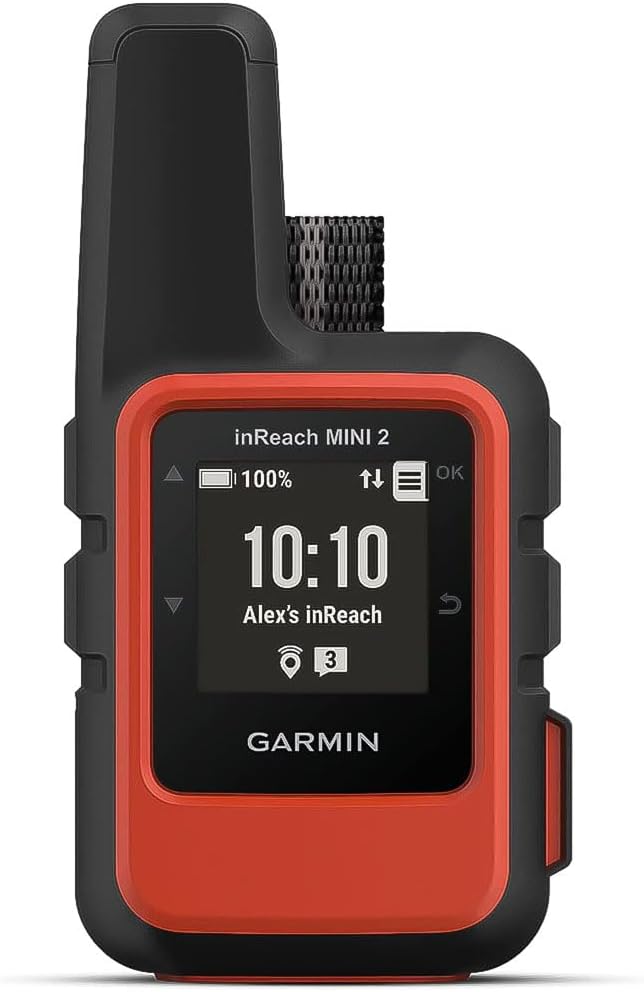
The Garmin inReach Mini 2 is primarily a satellite messenger, but it also includes enough navigation functionality to deserve a place in this selection. It is the best option if you want emergency communication, tracking and basic GPS navigation in the smallest possible package. At just 3.5 ounces, it is much lighter than a traditional handheld GPS and can be clipped to a backpack strap where it is always accessible.
The Mini 2 connects to GPS, Galileo, QZSS and BeiDou satellites and includes a digital compass. It can record tracks, navigate to waypoints and guide you back to your starting point with TracBack. However, the tiny screen is not suitable for detailed navigation, and there are no maps on the device itself. For route planning and easier messaging, you will want to pair it with a smartphone and use the Garmin Explore or Garmin Messenger app.
The main reason to buy the inReach Mini 2 is satellite communication. It enables two-way text messaging, location sharing and SOS via the Iridium satellite network, but an active subscription is required. Battery life is also very good. With 10-minute tracking intervals, it can last up to 14 days, and in lower-power modes it can last much longer. For users who want a full mapping GPS, the GPSMAP 67i is better. However, for ultralight hikers who mainly need safety features and basic navigation, the inReach Mini 2 is hard to beat.
Performance Score
The Advantages
- Very light and compact
- Two-way satellite messaging and SOS
- Good battery life
- Works well with Garmin apps
- Can navigate to waypoints and use TracBack
- Excellent choice as a safety device
The Considerations
- No onboard maps
- Tiny screen makes navigation slow
- Satellite features require subscription
- Best used with a paired smartphone

Video
Garmin Montana 700
Garmin Montana 700
Best touchscreen GPS
Best for:
- Hikers who want a large, easy-to-read color display
- Backcountry travelers who also want navigation for cycling, driving or ATV use
- Users who prefer touchscreen controls over physical buttons
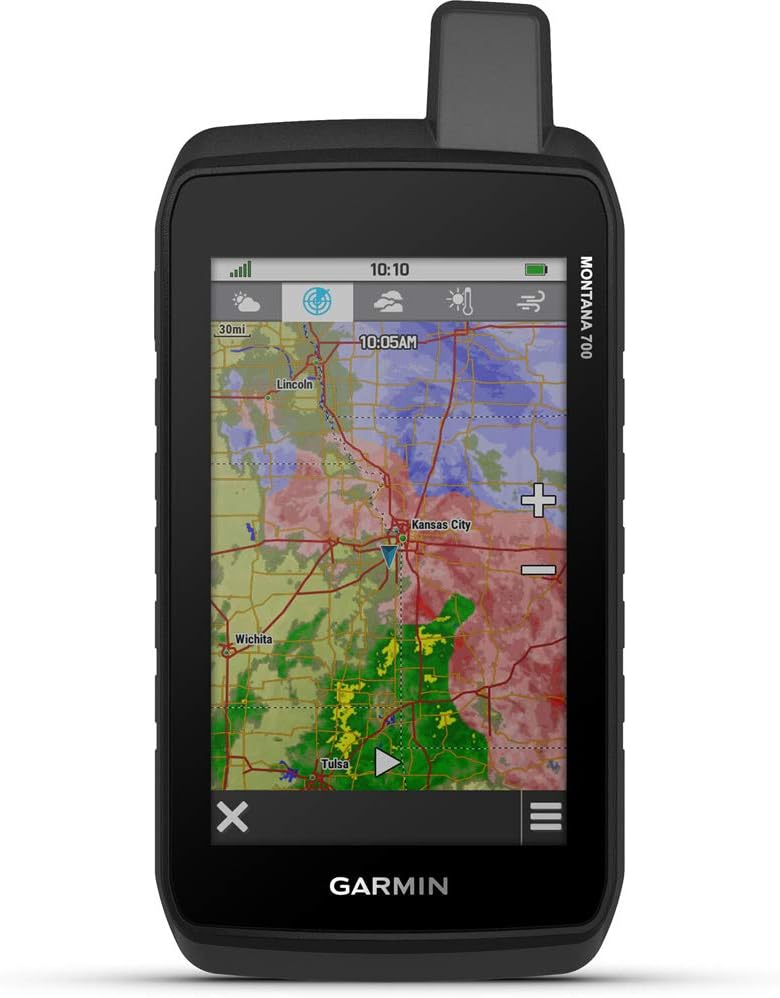
The Garmin Montana 700 is the best handheld GPS in this selection if screen size and mapping experience are your top priorities. It has a large 5-inch color touchscreen with a 480 x 800-pixel resolution, which makes maps much easier to read than on smaller handheld units. The interface feels more like a rugged smartphone than a traditional GPS, and the big display is especially useful when following complex routes or checking terrain details.
The Montana 700 comes with TopoActive maps and supports additional mapping options. It also has a barometric altimeter, 3-axis compass, GPS and Galileo support, smartphone connectivity, Garmin Explore compatibility, Wi-Fi and Bluetooth. The device can be used for hiking, cycling, driving and other outdoor activities, which makes it more versatile than most handheld GPS units. It is also built very tough and uses Gorilla Glass for the screen.
The trade-off is weight and battery life. At 14.5 ounces, the Montana 700 is much heavier than the other devices listed here, and the battery lasts up to 18 hours in GPS mode. That is enough for day hikes and many overnight trips, but it is far behind the GPSMAP 67i and eTrex SE. The Montana 700 also does not include inReach satellite messaging, although the Montana 700i and 750i variants do. For hiking where weight matters, it is overkill. For users who want the best screen and mapping experience, it is excellent.
Performance Score
The Advantages
- Large 5-inch color touchscreen
- Excellent map visibility
- TopoActive maps included
- Very versatile for different activities
- Strong connectivity options
- Rugged construction
The Considerations
- Heavy and bulky
- Battery life is modest
- Expensive
- Touchscreen is less practical with gloves
- No inReach on the standard Montana 700

Video

Garmin Foretrex 801
Garmin Foretrex 801
Best hands-free GPS
Best for:
- Mountaineers, climbers and search-and-rescue users who need hands-free navigation
- Hikers who want a simple wearable GPS with outstanding battery life
- Users who prefer buttons, monochrome screens and replaceable batteries
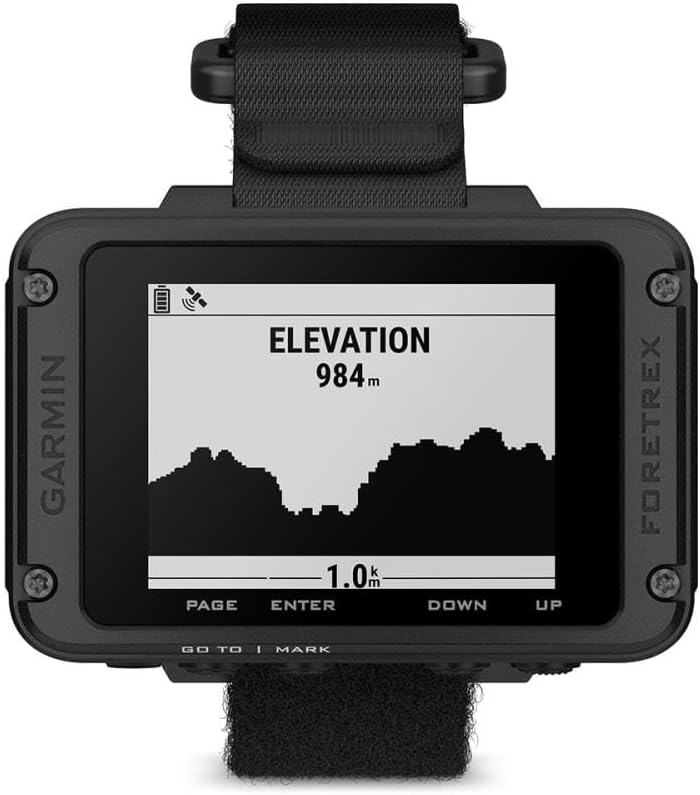
The Garmin Foretrex 801 is a wrist-mounted GPS device designed for people who want navigation without holding anything in their hands. It is not a GPS watch in the modern smartwatch sense. Instead, it is a tough, purpose-built navigation tool with buttons, a monochrome screen and excellent battery life. This makes it a very good choice for mountaineering, scrambling, search-and-rescue work and other activities where you want to keep both hands free.
The Foretrex 801 supports GPS, GLONASS and Galileo, and it also includes a barometric altimeter, compass and accelerometer. Battery life is one of its strongest points. It runs on two AAA batteries and provides up to 100 hours in standard GPS mode or up to 1,000 hours in expedition mode. The device is also very durable, with MIL-STD-810 testing and IPX7 water resistance.
Garmin added several tactical features, including Stealth Mode and Kill Switch, which will be useful for some professionals but unnecessary for most hikers. The Foretrex 801 can pair with the Garmin Explore app for more mapping functionality and can also work with compatible inReach devices for messaging. However, it does not have built-in maps or satellite communication. The screen is also small compared to handheld units. For detailed map navigation, choose the GPSMAP 67i or Montana 700. For hands-free navigation and long battery life, the Foretrex 801 is the better option.
Performance Score
The Advantages
- Hands-free wrist-mounted design
- Excellent battery life
- Runs on replaceable AAA batteries
- Durable MIL-STD-810 and IPX7 construction
- Simple button interface
- Useful Garmin Explore app compatibility
The Considerations
- No built-in maps
- Small monochrome display
- No built-in satellite messaging
- Tactical features are unnecessary for many hikers

Video

4. Hiking GPS Buying Advice – What is important?
Maps and Navigation Features
GPS Devices: Breadcrumb vs Detailed Map
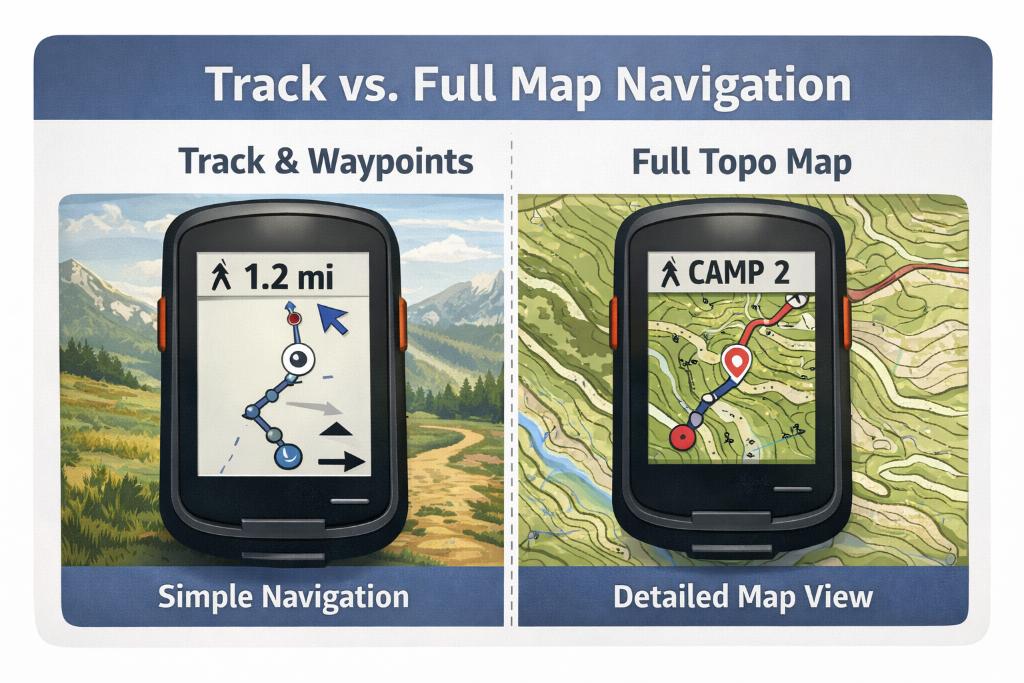
The biggest difference between budget GPS units and premium models is how you navigate day to day. Some devices are essentially “breadcrumb” tools: they record tracks, let you mark waypoints, and guide you back to a point you’ve saved, but they don’t give you a detailed, full-colour topographic map right on the device. That’s totally fine if you’re following established trails, geocaching, or you mainly want a reliable backup to your phone. But if you hike in complex terrain above treeline, in bad visibility, in dense forest with lots of junctions, or off-trail—having proper on-device mapping becomes a massive upgrade. You’ll want preloaded topo maps (contours + terrain detail), the ability to load GPX routes, enough internal storage, and ideally microSD support for big regions and multiple map layers.
Also think about how you’ll get those maps. Some brands make it easy to download and manage maps with their own apps, while others lean on computer-based planning. Satellite imagery can be a nice bonus for certain use cases (finding clearings, seeing riverbeds, spotting tracks), but it’s not essential for most hikers—and it can come with subscription costs. If you value simple “grab-and-go” navigation, pay for convenience. If you’re the type who enjoys planning routes at home, you can often build an excellent map setup without turning the GPS into an expensive monthly bill.
Satellite Networks and Accuracy
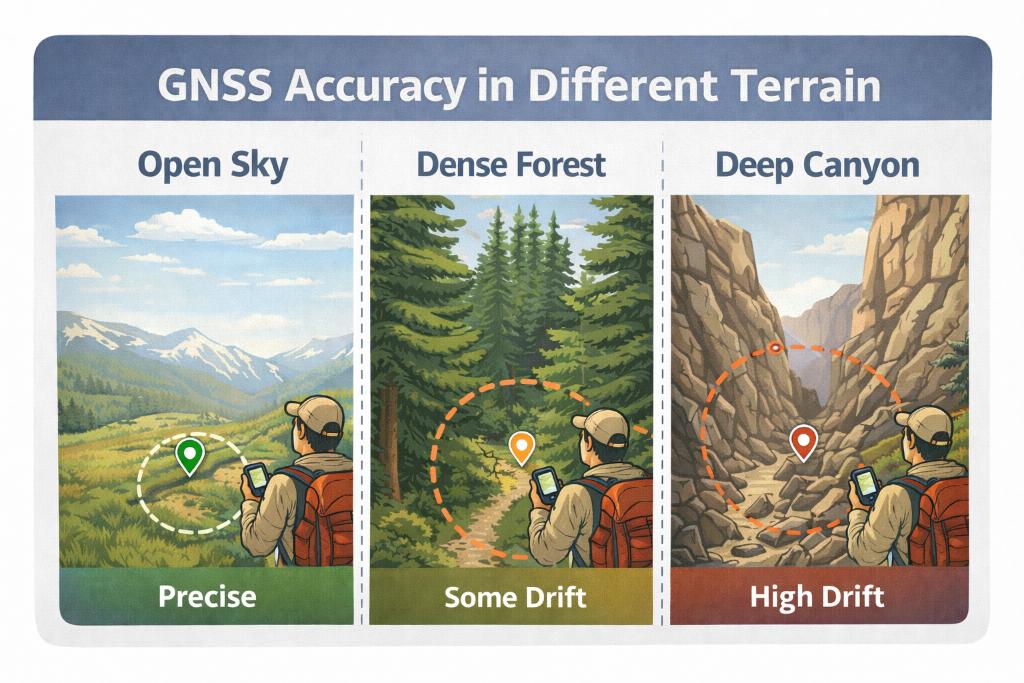
GPS Devices: Accuracy in Different Terrain Types
“Accuracy” is one of those specs that sounds boring until you’re standing in a narrow valley, in thick tree cover, or in a canyon where your position jumps around and the trail on the screen stops matching the trail under your feet. This is where modern GNSS hardware matters. Almost all current handhelds support multi-GNSS, meaning they can use more than one satellite system (GPS plus alternatives like Galileo, GLONASS, etc.). The practical advantage is faster lock-on and a more stable position fix, especially when the sky view is limited. Some higher-end units also add multi-band (dual-frequency) reception, which improves accuracy by reducing common errors from reflections and atmospheric interference. The gain is most noticeable in difficult environments: forrests, steep-walled valleys, cliffy terrain etc.
That said, accuracy isn’t only the chipset. It’s also antenna design, firmware, and how you carry the device. A GPS stuffed in a backpack lid or deep in a pocket will often perform worse than one clipped outside with a clear sky view. Many devices let you choose between max accuracy and battery-saving modes, so you can “spend” power when you need precision and save power when the terrain is straightforward. Bottom line: if your hiking is mostly open trails in good conditions, basic multi-GNSS is enough. If you routinely navigate in technical terrain, multi-band support is one of the most meaningful upgrades you can buy.
Touchscreen/Buttons and Readability
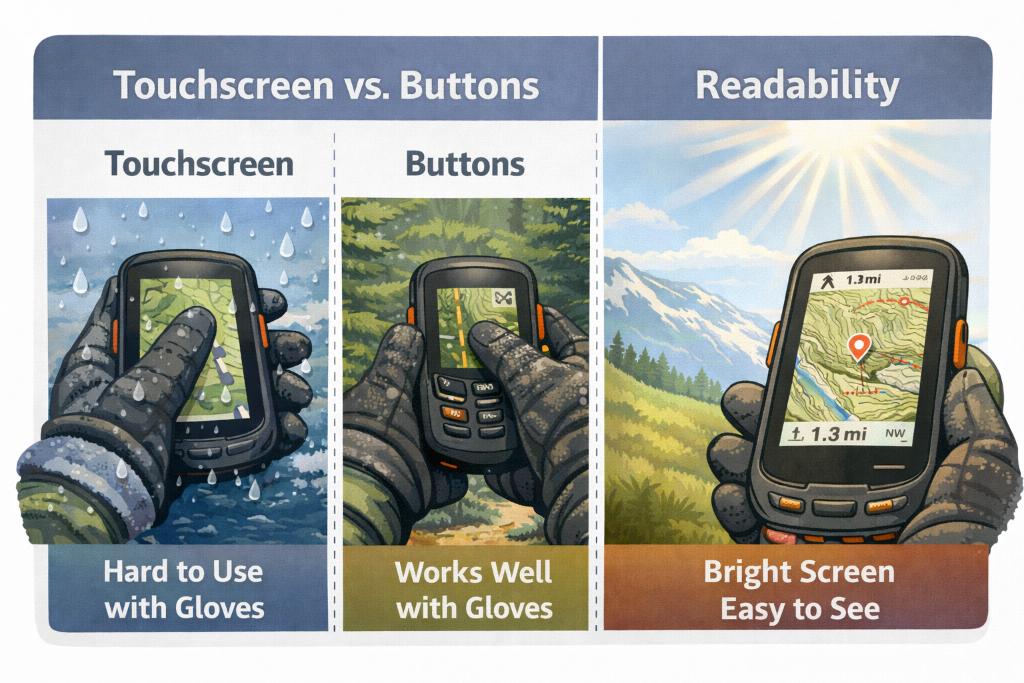
GPS Devices: Touch Screen VS Buttons
Touchscreens are intuitive and feel familiar if you’re used to phones: panning maps is fast, zooming is easy, and typing is quicker. They’re great when you’re moving fast and want a big, clear map at a glance—especially if the GPS doubles as an off-road, motorcycle, or vehicle navigation tool. The trade-off is that touchscreens can be frustrating in cold weather, with gloves, or in heavy rain. Even when they work, they often demand more attention and can drain battery faster, especially if you keep the backlight up.
Button-based devices are the opposite: they can feel “old-school,” but they’re reliable. You can operate them with gloves, in sleet, and in winter conditions without fighting the screen. They’re also easier to use one-handed while walking, and many hikers prefer physical controls for quick waypoint marking and menu navigation. Display quality matters either way: size, brightness, anti-glare performance, and contrast in direct sunlight are what decide whether you can read the map without stopping. A small screen can be perfectly usable if the UI is clean and you mostly follow tracks. But if you want to interpret terrain contours, spot junctions quickly, and plan on the fly, screen size and readability become a major reason to step up to a higher-end model.
ABC Sensors and Extra Features
A good hiking handheld GPS is more than a dot on a map. The most useful “extra” features are the classic ABC trio: altimeter, barometer, and compass. A 3-axis electronic compass is huge because it gives reliable heading information even when you’re standing still (or holding the device at an angle). That matters when you’re trying to orient yourself at a confusing junction, in fog, or when you’re checking bearings without walking in circles. A barometric altimeter can give a more stable elevation reading than GPS-only elevation in many conditions, which helps when you’re locating yourself on a topo map (elevation + terrain features is often the fastest way to confirm position). The barometer can also be genuinely useful for weather awareness: trend matters more than the exact pressure number. If you see pressure dropping quickly, you know you should start thinking about exposure, ridgelines, and exit options.
Beyond ABC, many handhelds add smart connectivity: syncing tracks to an app, showing phone notifications, pairing external sensors, or sharing routes with friends. These aren’t must-haves for everyone, but they can be excellent if you like analyzing your routes later or you want a smoother planning workflow. Just remember: the more you turn your handheld into a “connected device”, the more you need to manage battery and settings. For pure backcountry navigation, the best extras are the ones that still work when everything else (signal, phone, weather) is going sideways.
Messaging, SOS, and Subscriptions
If you hike beyond cell coverage, satellite communication can be the single biggest safety upgrade, bigger than maps, screen size, or GNSS. But it’s important to be clear on what you need. Only devices with true two-way satellite messaging let you send and receive messages from anywhere with a clear view of the sky, and the SOS function adds another layer of safety for serious backcountry travel. For some hikers, this is peace of mind on solo trips. For others, it’s practical: checking in with family, coordinating pickups, or getting help when plans change. The key is that you’re not just buying a device—you’re buying into a subscription ecosystem. Plans vary, and costs add up differently depending on whether you send occasional check-ins or frequent messages and tracking.
Also consider usability. Messaging on a tiny screen can be slow and annoying, which is why pairing with a smartphone can make a big difference for comfort and speed—while still keeping the satellite device as the “signal”. If your trips are mostly day hikes in well-traveled areas, SOS may be nice but not essential. If you’re going remote, crossing big mountain terrain, winter hiking, or traveling internationally where rescue logistics can be complicated, it becomes much more compelling. A common strategy is either: (1) one device that does mapping + messaging, or (2) a strong mapping GPS plus a dedicated messenger. Pick the setup that you’ll actually carry every time.
Battery Life
Battery claims look impressive on paper, but what matters is how long the device lasts in your usage: tracking frequency, screen brightness, GNSS settings, sensor use, wireless connectivity, and temperature. For hiking, long battery life is one of the main reasons handheld GPS units still beat phones. If you’re tracking all day, navigating off-route, and checking the screen frequently, you’ll burn power much faster than “max battery” marketing numbers suggest. Devices often offer multiple power modes (including expedition-style modes) that reduce tracking points, dim the screen, and shut off wireless features to stretch battery life dramatically.
Battery type matters just as much. Rechargeable internal packs are convenient and reduce waste, especially if you already carry a power bank. AA-powered devices can be brilliant for longer trips because you can swap batteries instantly and keep moving—no cables, no waiting. Cold weather is the wildcard: batteries drain faster in low temperatures, so storing the unit close to your body and minimizing screen-on time helps a lot. In practice, the best strategy is simple: bring redundancy. For long trips, that means spare AAs or a power bank. For short trips, it means starting fully charged and knowing how to switch to a power-saving mode when you don’t need constant tracking.
Durability, Waterproofing and Environment
A hiking GPS should be the device you’re least worried about when the weather turns ugly. That means real water resistance, solid impact protection, and a case that can handle being clipped to the outside of your pack for days. Waterproofing is important not only for rain, but also for accidents: dropping it in a stream, getting soaked while fording, or being exposed to wet snow. Look for strong water resistance ratings and don’t ignore the small things—port covers, button seals, and how the device behaves when it’s wet (some touchscreens become much less pleasant in heavy rain). Shock resistance matters too. A GPS is often used one-handed, pulled out frequently, and occasionally dropped. A protective case or screen protector can be worth it if you’re hard on gear.
If you expect harsh conditions—winter trips, desert heat, or high mountains—environmental testing standards become more relevant. Thermal resistance and impact certifications can be a good sign that the device is built for real outdoors use, not just “weather-resistant” marketing. Also pay attention to the weak points: charging ports, battery doors, and attachment points. Many issues in the field aren’t “the GPS failed”, but rather “the hinge cracked”, “the port got damaged”, or “the mount broke”. Choose a device you can confidently handle with cold hands, wet gloves, and rushed decisions—because that’s exactly when you’ll rely on it most.
Size, Weight and Carry Options
For hiking, smaller is usually better. A compact GPS is easier to carry in a pocket, stash on a shoulder strap, or keep accessible without digging through your pack. That leads to more frequent use, which is the whole point of having a dedicated device. Lightweight gear also reduces fatigue and makes the GPS feel like a no-brainer addition rather than “one more gadget”. The trade-off is screen size and sometimes battery capacity. If the screen is tiny, on-device mapping becomes less comfortable and you’ll rely more on following tracks or using a paired phone for a better map interface.
Bigger devices often shine when you want a large, bright display and fast touch navigation, or when you’ll mount the unit on a bike, ATV, snowmobile, or vehicle. In those cases, the size and weight matter less because the device isn’t living in your hand all day. For pure hiking and backpacking, most people land in the middle: big enough to read the map without squinting, small enough to carry without thinking about it.
Planning Software
A handheld GPS is only as good as the workflow you use before and after the trip. If you love planning routes, you’ll want a device that makes it easy to import GPX tracks, manage waypoints, and organize multiple trips without turning everything into a messy file pile. Good planning software (desktop or app-based) helps you build routes, see distance and elevation profiles, and set critical points like trailheads, water sources, bailout routes, and camps. It also makes post-trip analysis easier if you like reviewing your tracks. For simpler devices that don’t have strong onboard maps, a companion app can be essential because it turns your phone into the “big screen map” while the GPS provides the reliable tracking and positioning.
Also look at how the device handles syncing: Bluetooth, Wi-Fi, and wireless sharing can be genuinely useful, especially if you want to transfer routes quickly, share tracks with friends, or keep a backup of your data. But don’t buy into features you won’t use. Some people want a standalone unit that does everything on the device, offline, no fuss. Others want the GPS as part of a system: phone for planning, GPS for tracking, satellite messenger for SOS. The best choice is the one that matches how you already hike. If the setup is annoying, you’ll skip it. If the workflow is smooth, you’ll use your GPS more often and that’s when it actually becomes a safety and navigation advantage.