Garmin GPSMAP 67i
A hiking GPS helps you follow a planned route, save important locations and find your way back. A phone with offline maps can be enough for many day hikes, but we would consider a dedicated device for longer trips where battery life, outdoor controls and a tough case matter. It also lets you navigate while keeping your phone’s battery available for other uses.
The biggest decision is whether you want detailed maps on the screen or a smaller unit for following a route you have prepared. The GPSMAP 67i combines maps and satellite messaging in one handheld. The eTrex SE offers simple navigation with replaceable batteries, while the small inReach Mini 2 puts satellite communication first. The Montana 700 provides the largest map display, and the Foretrex 801 keeps route guidance on your wrist.
We prefer a mapping handheld when we want room to inspect nearby trails and plan a different route directly on the device. If you would rather keep navigation on your wrist, also see our selection of hiking watches. Many watches now offer offline maps, so screen size, controls and battery life are more useful points of comparison than simply whether a device has GPS.
Updated Content
We regularly update our reviews and selections to always recommend you the best products on the market.
Expert Selections
We only list top-tier products. Read how our selections of best hiking products differ from others here.
Links
We use affiliate links and may receive a small commission on purchases at no extra cost to you.
1. Our Hiking GPS Picks
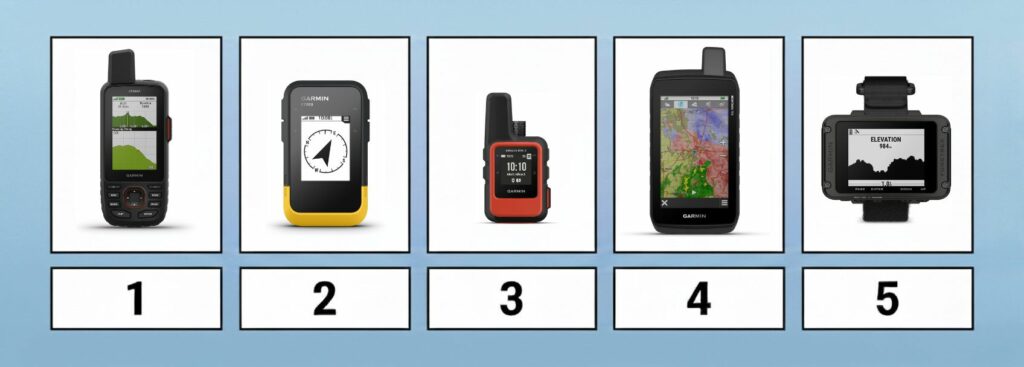
The Best Hiking GPS
- Garmin GPSMAP 67i – pick for maps and satellite messaging
- Garmin eTrex SE – budget pick
- Garmin inReach Mini 2 – lightweight satellite messaging pick
- Garmin Montana 700 – pick for a large touchscreen
- Garmin Foretrex 801 – pick for navigation on your wrist
2. Comparison of Hiking GPS Devices

| Feature/Product | Garmin GPSMAP 67i | Garmin eTrex SE | Garmin inReach Mini 2 | Garmin Montana 700 | Garmin Foretrex 801 |
|---|---|---|---|---|---|
| Weight | 8.11 oz. | 5.5 oz. | 3.5 oz. | 14 oz. | 3.8 oz. |
| Weight (Metric) | 230 g | 155 g | 100 g | 397 g | 108 g |
| Size | 2.5 x 6.4 x 1.4 in. | 2.4 x 4.0 x 1.3 in. | 2.04 x 3.9 x 1.03 in. | 3.4 x 7.2 x 1.3 in. | 2.9 x 1.9 x 0.9 in. |
| Size (Metric) | 6.2 x 16.3 x 3.5 cm | 6.1 x 10 x 3.3 cm | 5.17 x 9.9 x 3.6 cm | 8.76 x 18.3 x 3.3 cm | 7.3 x 4.8 x 2.2 cm |
| Display | 3'' | 2.2" | 1.3" | 5" | 2.2" |
| Touchscreen | No | No | No | Yes | No |
| Battery Life | 180 h GPS / 165 h with 10-minute inReach tracking | 168 h | 14 days open sky / 4 days moderate tree cover, 10-minute sends | 18 h GPS | 100 h GPS |
| Battery | Rechargeable lithium-ion | 2 AA batteries (not included) | Rechargeable lithium-ion | Rechargeable lithium-ion or 3 AA batteries | 2 AAA batteries |
| Technology | GPS + Galileo + BeiDou + IRNSS + QZSS | GPS + GLONASS + BeiDou + Galileo | GPS + Galileo + QZSS | GPS + GLONASS + Galileo | GPS + GLONASS + Galileo |
| Electronic Compass | Yes | Yes | Yes | Yes | Yes |
| Barometric Altimeter | Yes | Yes | Yes | Yes | Yes |
| Waterproof | Yes (IPX7) | Yes (IPX7) | Yes (IPX7) | Yes (IPX7) | Yes (IPX7) |
| Memory Card Support | Yes | Yes | Yes | Yes | Yes |
| Routes Memory | 250 | 100 | 100 | 250 | 50 |
| POIs Memory | 20000 | 1000 | 1000 | 20000 | 500 |
| Supports Standard Batteries | No | Yes (2 AA batteries) | No | Yes (3 AA batteries) | Yes (2 AAA batteries) |
| Wireless Connectivity | Bluetooth, Wi-Fi and ANT+ | Bluetooth | Bluetooth, ANT+ | Bluetooth, Wi-Fi and ANT+ | Bluetooth, ANT+ |
| Camera | No | No | No | Optional (750i model) | No |
| Geocaching-friendly | Yes | Yes | Yes | Yes | No |
| Trip Planning Software | Yes (BaseCamp, Garmin Explore) | Yes (BaseCamp, Garmin Explore) | Yes (BaseCamp, Garmin Explore) | Yes (BaseCamp, Garmin Explore) | Yes (BaseCamp, Garmin Explore) |
3. The Selection
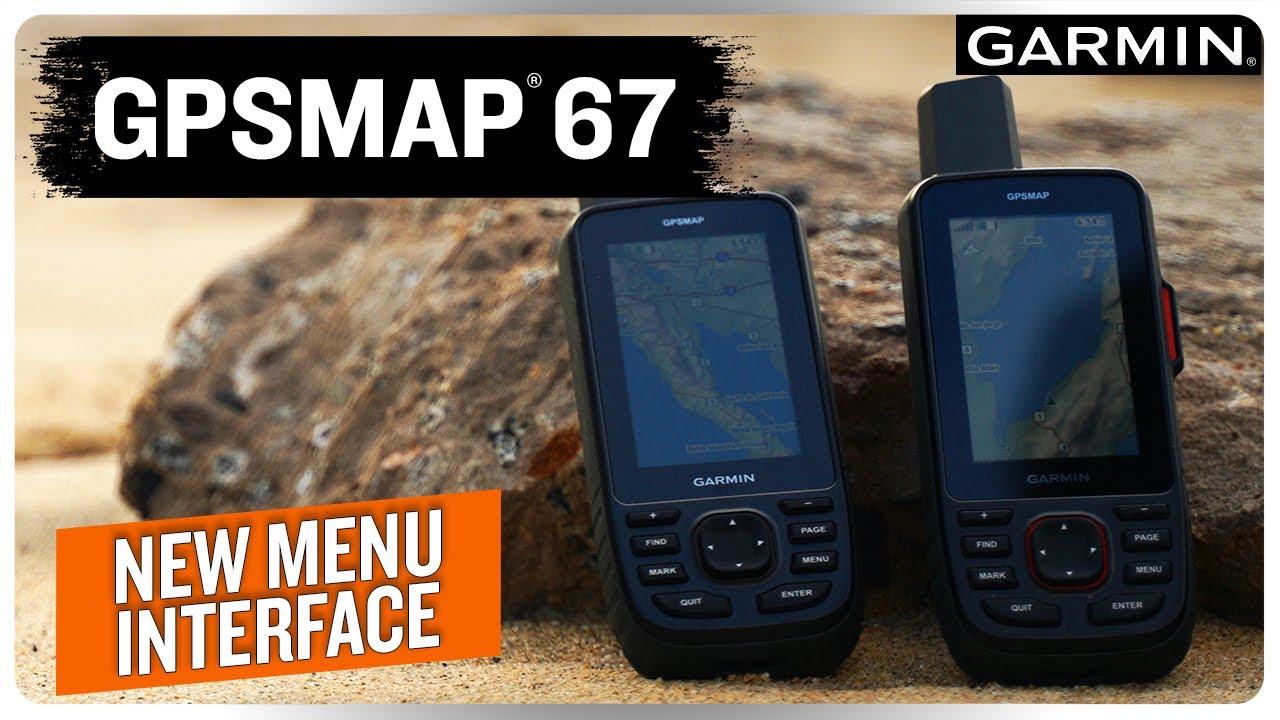
Garmin GPSMAP 67i
Garmin GPSMAP 67i
Our pick for maps and satellite messaging
Best for:
- Backpacking and remote hiking
- Hikers who want maps and satellite communication in one device
- Trips where long battery life and button controls matter
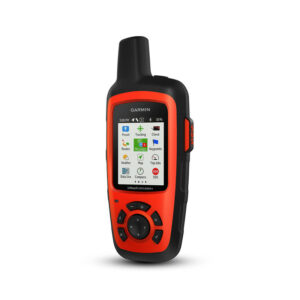
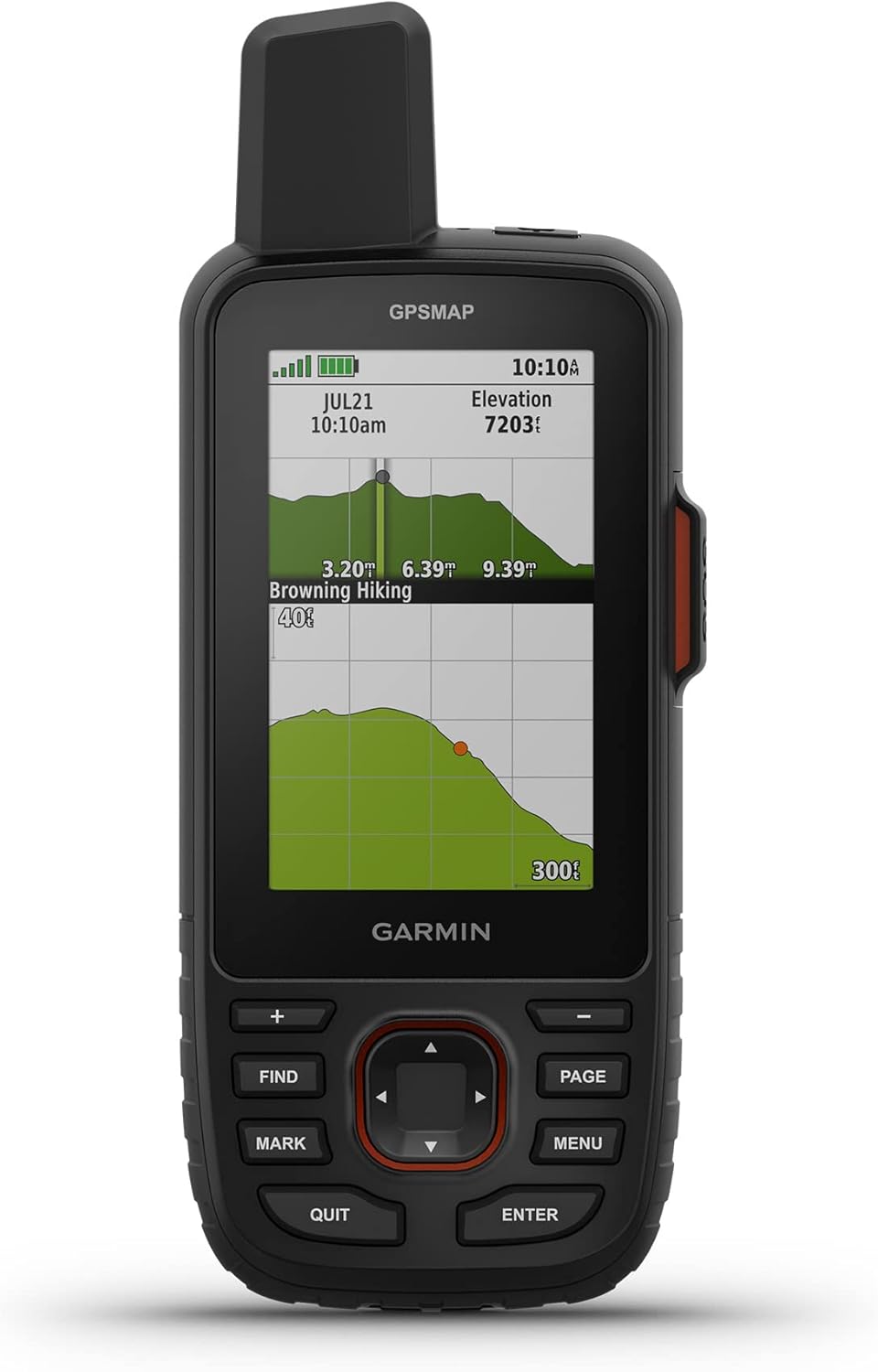
We would choose the GPSMAP 67i for hiking and backpacking trips where we want detailed maps and satellite communication in one device. Its three-inch color screen shows nearby trails and terrain, and the built-in TopoActive maps let you calculate routes along mapped paths. You can mark a campsite or choose another destination directly on the GPS, which is useful when plans change during a hike.
The device also supports satellite imagery downloads for checking features such as clearings and riverbeds. An electronic compass and barometric altimeter add direction and elevation information. We like the physical buttons for cold and wet conditions, although moving around maps and entering text involves more button presses than on the Montana’s touchscreen.
Its multi-band receiver can help reduce positioning errors near cliffs and under tree cover. Garmin claims up to 180 hours in GPS mode, or 165 hours with inReach enabled and a tracking point sent every 10 minutes. Expedition mode extends the claimed runtime to 840 hours without inReach or 425 hours with it enabled, at the cost of less frequent position recording.
The built-in inReach connection provides two-way text messages, location sharing and interactive SOS through the Iridium satellite network. Routine messages and shared tracking require an active plan. We would allow for that ongoing cost as well as the purchase price.
Our main reservations are the price and the 230 g weight. If your phone already handles mapping, the Mini 2 saves weight while providing satellite communication. The 67i makes more sense when you want to navigate and stay in touch without depending on your phone. Compared with the Montana 700, it is also a more manageable choice for carrying on long hikes.
Performance Score
The Advantages
- Detailed maps and satellite imagery
- Route calculation on the device
- Satellite messaging and interactive SOS
- Long claimed battery life
- Physical buttons and outdoor sensors
The Considerations
- High price
- Heavier than the smaller devices here
- Button-based map and text entry
- Routine satellite messaging requires a subscription

Video
Garmin eTrex SE
Garmin eTrex SE
Our budget pick
Best for:
- Hikers looking for an affordable GPS
- Following prepared routes with a separate map for reference
- Long trips with limited access to charging
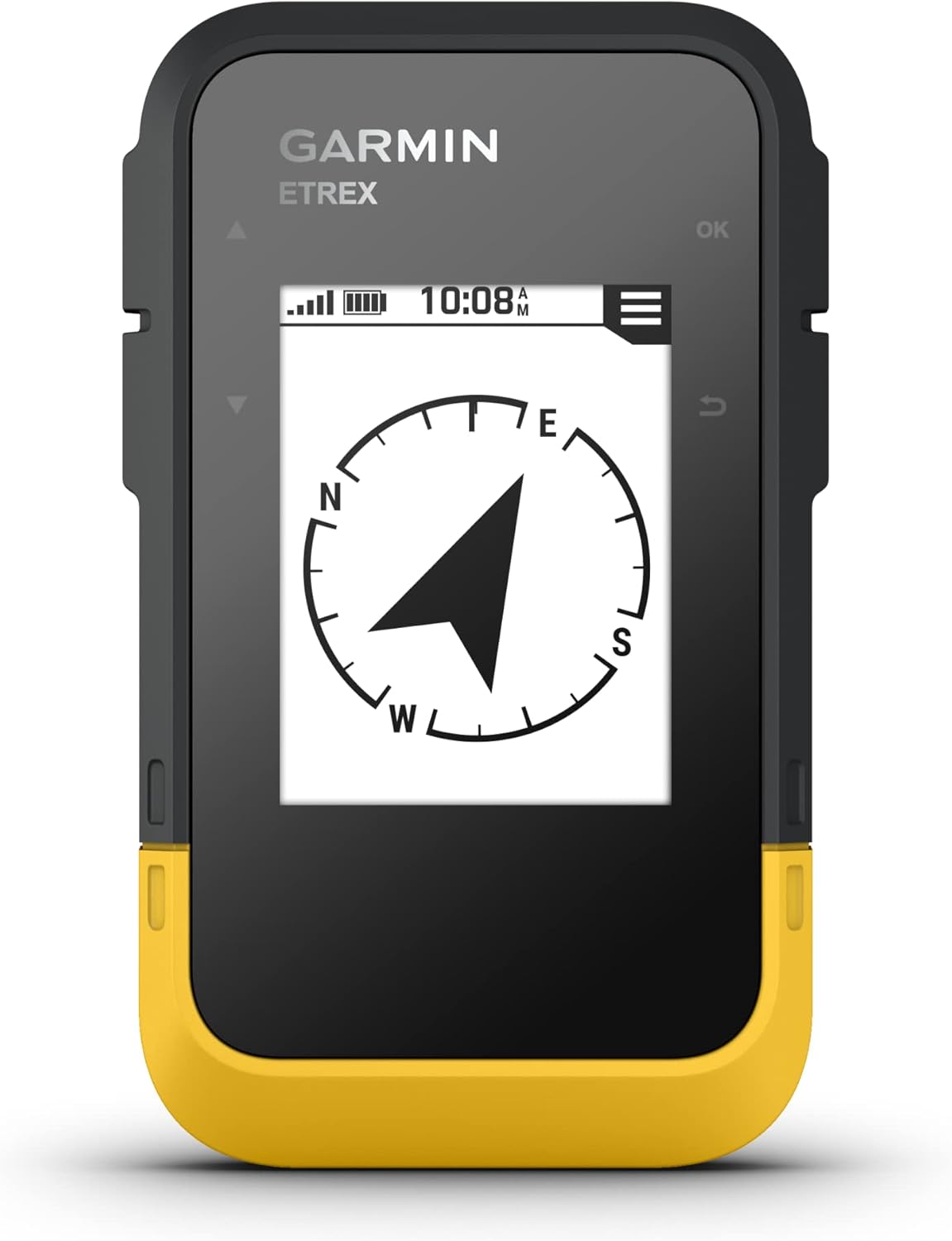
The eTrex SE would be our choice for a simple GPS at a lower price. It records your walk, follows saved courses and lets you mark places such as a campsite or trailhead. We see it as a useful companion to a paper map or phone mapping app, especially for hikers who do not need a detailed map on the GPS itself.
The main limitation is its basic map display. It has a cities-only basemap and shows your route as a line, without the surrounding topographic detail you get on the GPSMAP 67i. That can be enough for following a route prepared at home, but we would spend more on a mapping handheld if we expected to plan detours on the device.
We particularly like the replaceable AA batteries. Garmin claims up to 168 hours in standard mode and 1,800 hours in expedition mode. Carrying a spare pair is straightforward, and you do not need to stop and recharge the unit when its batteries run low. The 2.2-inch monochrome screen favors simple information and daylight readability over detailed graphics.
Multi-GNSS reception uses several satellite systems, while the electronic compass shows your heading even when you are standing still. Bluetooth connects the device to Garmin Explore for transferring routes, planning trips and viewing more detailed maps on your phone. You can also receive weather information and Geocaching Live updates through a connected phone; new forecasts and live updates need an internet connection.
For us, the eTrex SE offers the features many hikers need without the cost and bulk of a larger mapping unit. The Foretrex 801 adds multi-band reception, a barometric altimeter and a wrist mount, but the eTrex is the more appealing budget handheld. Neither provides built-in satellite messaging.
Performance Score
The Advantages
- Lower price
- Up to 168 hours in standard mode
- Replaceable AA batteries
- Electronic compass and multi-GNSS reception
- Garmin Explore and Geocaching Live support
- IPX7 water resistance
The Considerations
- Basic map display
- Cannot load detailed topographic maps
- No built-in satellite communication

Video

Garmin inReach Mini 2
Garmin inReach Mini 2
Our lightweight satellite messaging pick
Best for:
- Hikers who already use their phone for maps
- Solo trips and hikes beyond mobile coverage
- Backpackers who want satellite communication with little extra weight
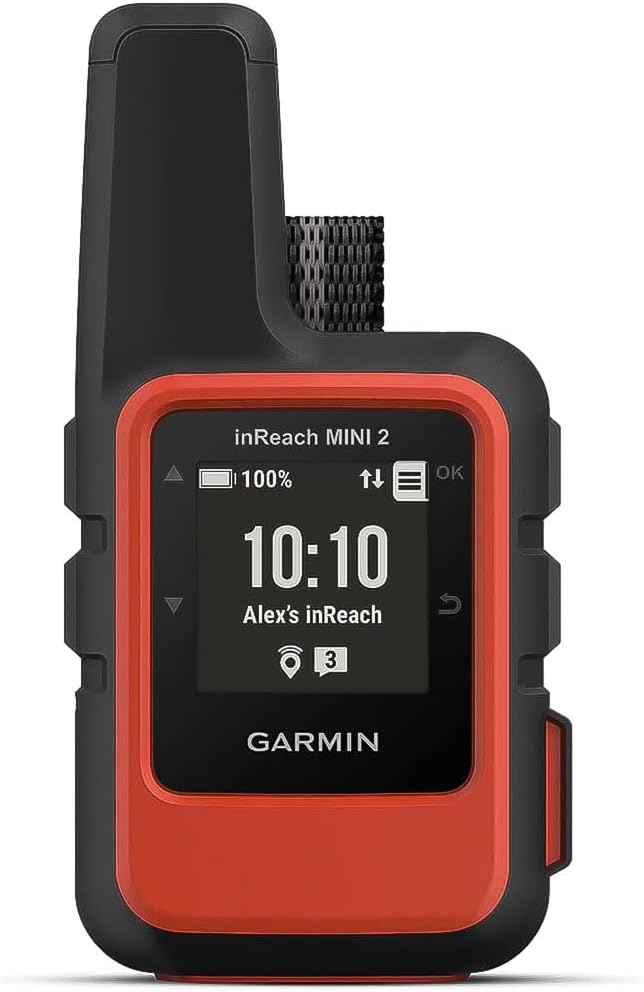
The inReach Mini 2 is primarily a satellite messenger, with basic navigation as a useful extra. We would choose it if we already had offline maps on our phone and wanted a way to contact someone beyond mobile coverage. At just 100 g, it is easy to justify for backpacking, climbing and trail running, and it can be clipped to a backpack strap where it is accessible.
Compared with the GPSMAP 67i, it saves weight while keeping two-way satellite text messaging, location sharing and interactive SOS through Iridium. The device can send messages on its own, but pairing a phone makes writing them much easier. Garmin Messenger handles messaging, while Garmin Explore adds trip planning and map viewing on your phone. Routine satellite messages and shared tracking require an active plan.
The Mini 2 can record your activity, guide you to saved waypoints and use TracBack to help you follow your path back to the start. It also has a digital compass and multi-GNSS reception. Its small monochrome screen is the main compromise: there are no detailed maps on the device, so we would use a separate map to inspect nearby trails and terrain.
Garmin claims up to 14 days with a tracking point sent every 10 minutes under open sky, falling to four days under moderate tree cover. Both figures use standard activity recording. High-detail recording reduces those estimates to five and two days respectively. Sending points every 30 minutes with standard recording extends them to 30 and 10 days.
We like the balance of weight and communication features, but we would choose the GPSMAP 67i if navigation on the device were the priority. The eTrex SE is a better fit for a lower-cost route-following GPS when satellite communication is not needed.
Performance Score
The Advantages
- Light and compact at 100 g
- Two-way satellite messaging and interactive SOS
- TracBack guidance
- Works with offline maps in Garmin Explore on a phone
The Considerations
- Small screen for navigation
- Detailed maps are viewed on a paired phone
- Routine satellite messaging requires a subscription

Video

Garmin Montana 700
Garmin Montana 700
Our pick for a large touchscreen
Best for:
- Hikers who want a large map display
- Users who prefer touchscreen controls
- Trips combining hiking with cycling or other outdoor activities
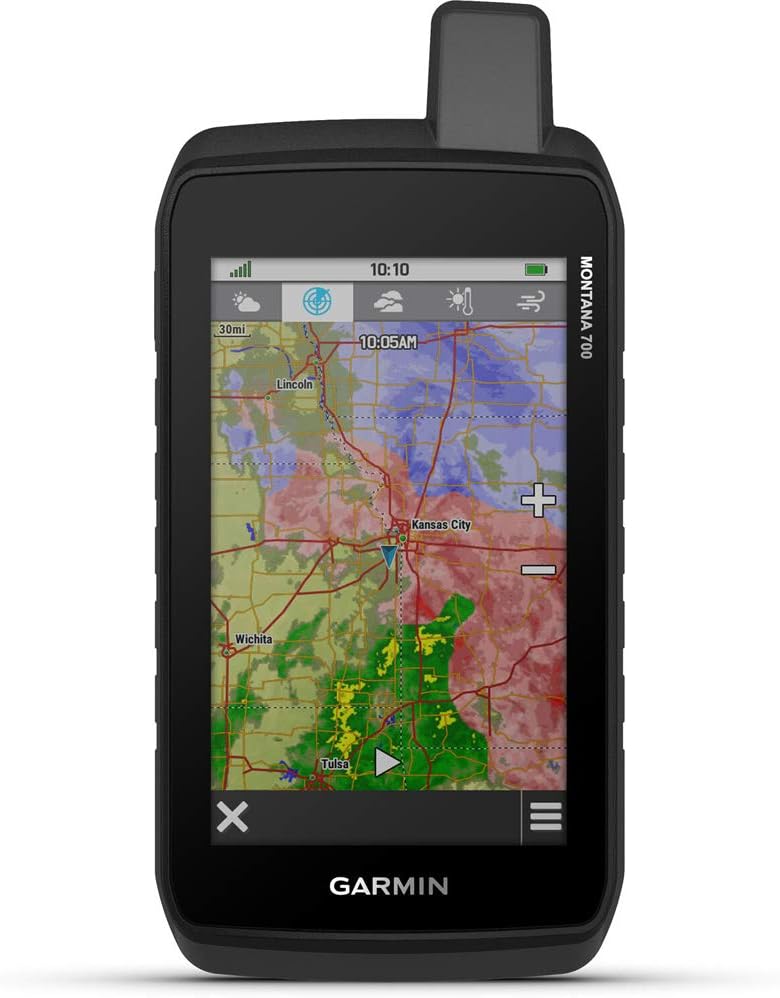
The Montana 700 is our pick if map size matters most. Its five-inch color touchscreen has a 480 x 800-pixel resolution and gives you more room to inspect trails, junctions and terrain than any other device here. We like the ability to move around the map by touch, especially for people who usually navigate on a phone.
It comes with regional TopoActive maps and can calculate routes along mapped paths. A microSD slot allows you to add mapping, while a barometric altimeter and three-axis compass provide elevation and direction information. GPS, GLONASS and Galileo reception, Garmin Explore compatibility, Wi-Fi, Bluetooth and ANT+ give it a broad set of navigation and connection options.
The large screen and available mounts also make sense for trips that combine hiking with cycling or vehicle use. Check that you have the right maps and mount for the activity; detailed road navigation may require additional mapping. The device has chemically strengthened glass and Garmin’s stated MIL-STD-810 testing for thermal, shock, water and vibration conditions.
The tradeoff is the 397 g weight and Garmin’s claimed battery life of up to 18 hours in GPS mode. Expedition mode extends the estimate to 330 hours with reduced tracking detail. We would plan charging or spare power for an overnight trip rather than assume a full charge will cover it. The Montana can also use three AA batteries, but you need the optional battery holder.
We would choose the GPSMAP 67i for backpacking, where its lower weight and longer runtime are more useful. The Montana makes more sense when you value screen space above pack weight. It has no built-in satellite messaging, SOS or camera. Although Garmin describes the touchscreen as glove-friendly, we would still favor the 67i’s buttons for frequent use with thick winter gloves.
Performance Score
The Advantages
- Large five-inch touchscreen
- Detailed TopoActive maps
- Route calculation and expandable map storage
- Wi-Fi, Bluetooth and ANT+
- Optional AA battery holder
The Considerations
- Heavy and bulky for hiking
- Shorter GPS runtime than the other navigators here
- High price
- Buttons may be easier with thick gloves
- No built-in satellite messaging or SOS

Video

Garmin Foretrex 801
Garmin Foretrex 801
Our pick for navigation on your wrist
Best for:
- Hikers who want route guidance on their wrist
- Scrambling and walking with trekking poles
- Trips where replaceable batteries are useful
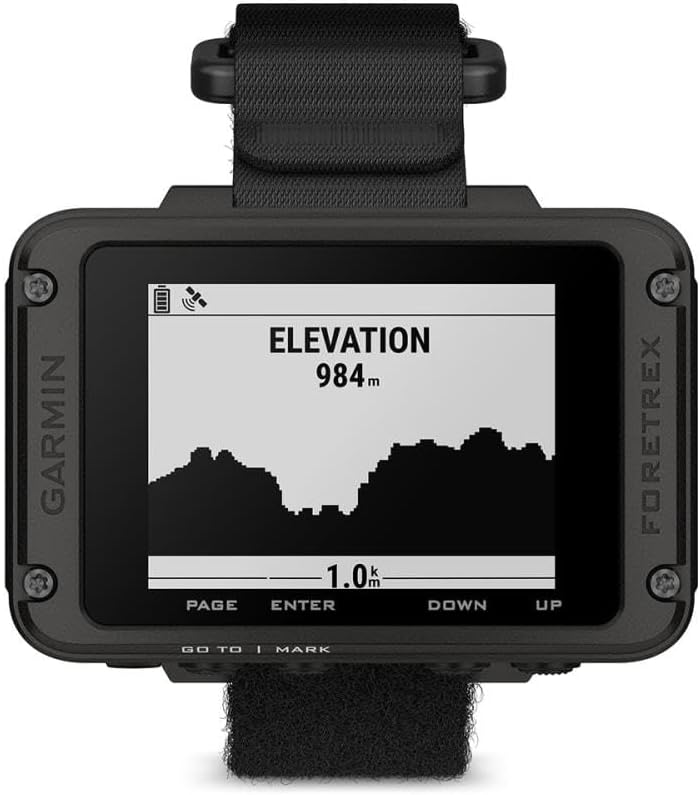
We would choose the Foretrex 801 when easy access to our route matters more than a detailed map. It sits on your wrist, so you can check your direction without taking a handheld out of a pocket. That is useful when using trekking poles, scrambling or carrying out work where you want both hands available.
The Foretrex is a navigation device rather than a general-purpose smartwatch. It combines physical buttons and a 2.2-inch monochrome screen with multi-band GNSS reception, an electronic compass, a barometric altimeter and an accelerometer. Tracks, waypoints and bearings are its strengths; a separate phone or paper map provides the surrounding terrain detail.
We also like the replaceable AAA batteries for trips with limited charging opportunities. Garmin claims up to 100 hours in default GPS mode and 1,000 hours in expedition mode. At about 108 g with batteries, it keeps weight down as well. Garmin lists IPX7 water resistance and MIL-STD-810 testing for the bare unit.
Garmin Explore lets you plan and review trips on your phone. You can also view messages from a compatible paired inReach communicator, but the Foretrex cannot send satellite messages by itself. Its tactical extras include Stealth Mode, which stops storing and sharing GPS data and disables wireless connections, and Kill Switch, which erases the device’s memory. These may matter to some professional users but add little for most hikers.
The main compromise is the simple track display. We would choose the GPSMAP 67i for detailed maps and route planning on the device, or the eTrex SE for a lower-cost handheld with longer claimed standard runtime. The Foretrex is the better fit when you specifically want route guidance on your wrist.
Performance Score
The Advantages
- Wrist-mounted design and button controls
- Multi-band reception
- Compass and barometric altimeter
- Replaceable AAA batteries
- Garmin Explore support
The Considerations
- Simple track display
- Detailed maps require a separate device or paper map
- Satellite communication needs a separate communicator
- Tactical extras add little for most hikers
Video

4. How We Test and Research Hiking GPS Devices
We researched these five devices using Garmin’s specifications, manuals and support guides. Our recommendations draw on that research rather than a hands-on comparison of these exact models. We compared maps, route guidance, battery settings, controls, weight and communication features to decide which type of hiker each device suits.
We pay particular attention to what works without a phone, what needs to be downloaded before a trip and which features require a subscription. Battery figures are Garmin’s claimed maximums for the stated settings. The presence of multi-band reception is useful information, but it does not tell us how accurately two devices will record the same hike.
5. How We Rate Hiking GPS Devices
The scores are editorial assessments out of five, with a higher number indicating a stronger fit for that part of hiking. They describe documented features and specifications, rather than measurements of positioning accuracy or long-term reliability.
- Navigation Tools: Following a route and checking a compass bearing earns 3.0. The Foretrex earns 3.5 for adding multi-band reception and a barometric altimeter. Detailed maps with route calculation earn 4.5. The GPSMAP 67i combines those mapping features with multi-band reception for 5.0. Screen size and satellite communication are considered separately.
- GPS Battery Life: We use Garmin’s standard or default GPS estimate, without expedition settings. The bands are 5.0 for 168 hours or more, 4.0 for 72 to under 168 hours, 3.0 for 24 to under 72 hours, 2.0 for 12 to under 24 hours, and 1.0 below 12 hours. These are claimed figures under different test conditions. The Mini 2’s satellite-tracking estimates are not directly comparable, so we explain its battery life in the description and leave this metric out of its widget.
- Carry Weight: We include the batteries. Up to 125 g earns 5.0, over 125 to 200 g earns 4.0, over 200 to 300 g earns 3.0, over 300 to 400 g earns 2.0, and more than 400 g earns 1.0. This rates weight, not comfort or how securely a mount holds the device.
- Display: We judge the screen space and map detail available for navigation. The five-inch color touchscreen earns 5.0, the three-inch color map screen 4.0, the 2.2-inch monochrome route screens 2.5, and the Mini 2’s smaller screen 2.0. These scores do not measure brightness or readability in a controlled test.
We use the category scores separately, without combining them into an overall score. Satellite messaging, price, controls and intended use also influence our recommendations. A lower-scoring device can be the better purchase if it provides the features you need in a smaller or more affordable package.
6. Hiking GPS Buying Advice – What Matters?
Maps and Navigation Features
GPS Devices: Breadcrumb vs Detailed Map
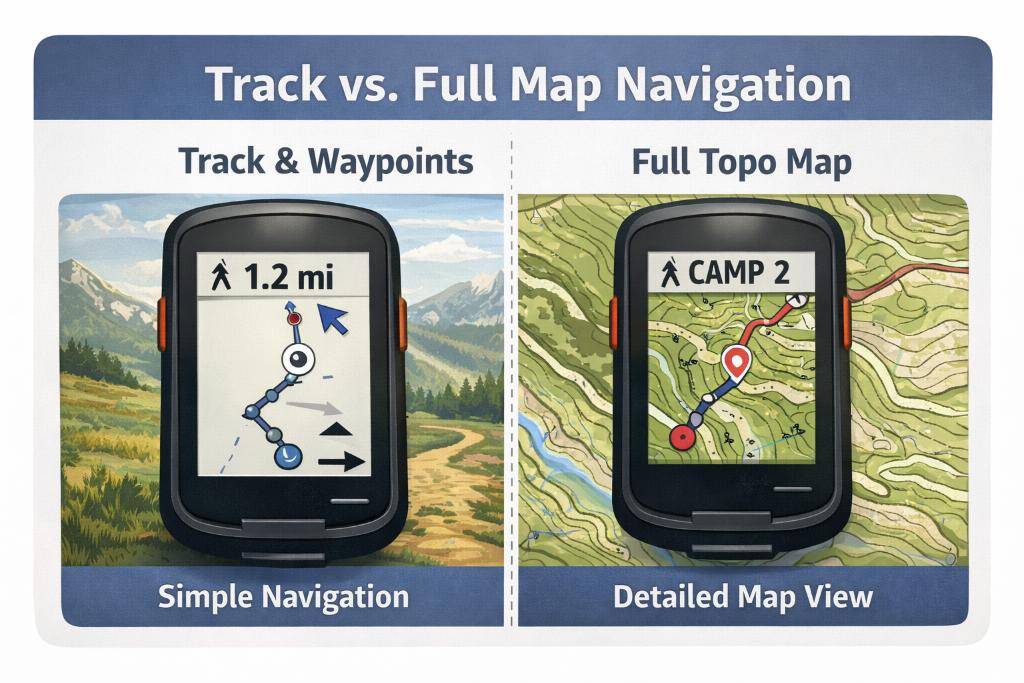
The biggest difference between simple GPS units and mapping handhelds is how you navigate day to day. A breadcrumb device records your path, lets you mark waypoints and guides you along a saved route. It does not show the same surrounding trails, rivers and terrain as a detailed map. That can be enough for following an established trail or using the GPS alongside a phone or paper map.
We would choose detailed on-device mapping for unfamiliar areas where we might need to change our route. It is particularly useful above the treeline, at confusing junctions and when walking off-trail. The GPSMAP 67i and Montana 700 both display detailed maps and can calculate routes along mapped paths. The eTrex SE, Mini 2 and Foretrex 801 provide simpler route guidance.
Check map coverage before buying, including the trails and elevation detail available for your destination. TopoActive coverage varies by region, and not every map includes the same contour information. Route calculation also depends on suitable map data and activity settings. A line on a map is not a guarantee that a path is open or safe.
Also consider storage and how you will add maps. A microSD slot is useful for larger areas and extra map layers; the GPSMAP and Montana have one. Satellite imagery can help identify clearings, riverbeds and tracks, but it is an extra rather than a requirement for most hikes. Check which downloads are included and which premium map layers cost extra. Basic GPS navigation does not require a monthly subscription.
Satellite Networks and Reception
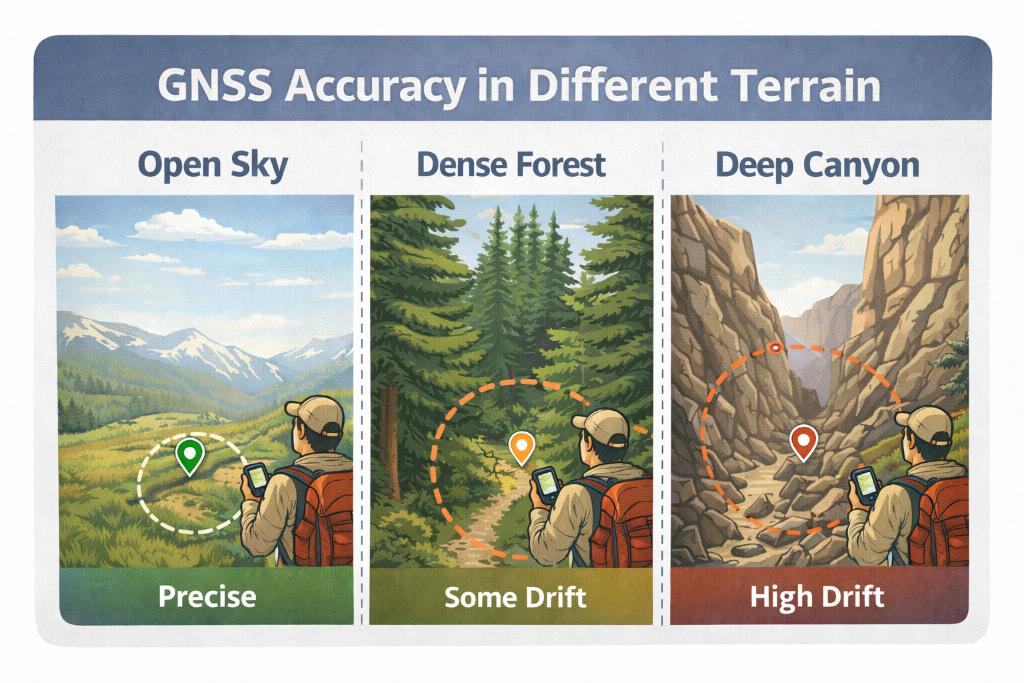
GPS Devices: Accuracy in Different Terrain Types
Multi-GNSS support means a device can receive signals from several satellite systems, such as GPS and Galileo. This gives it more satellites to work with when trees or mountains block part of the sky. It can help with getting a position fix and maintaining it in difficult surroundings.
Multi-band reception is a separate feature. It uses more than one signal frequency to help reduce positioning errors, including errors caused by signals reflecting off cliffs and buildings. The GPSMAP 67i and Foretrex 801 offer it. We would give it more weight when choosing a device for steep valleys and other terrain with a restricted view of the sky.
Reception also depends on the antenna, software, settings and how you carry the device. Keep it in the position recommended by the manufacturer, with as clear a view of the sky as practical. Some power-saving modes reduce how often a position is recorded, so check your settings before relying on a detailed track.
A basic multi-GNSS unit can be sufficient on open trails. No receiver is immune to errors, however. If the position on the screen does not match the junction or terrain in front of you, stop and check it against your map rather than following the display without question.
Screen and Controls
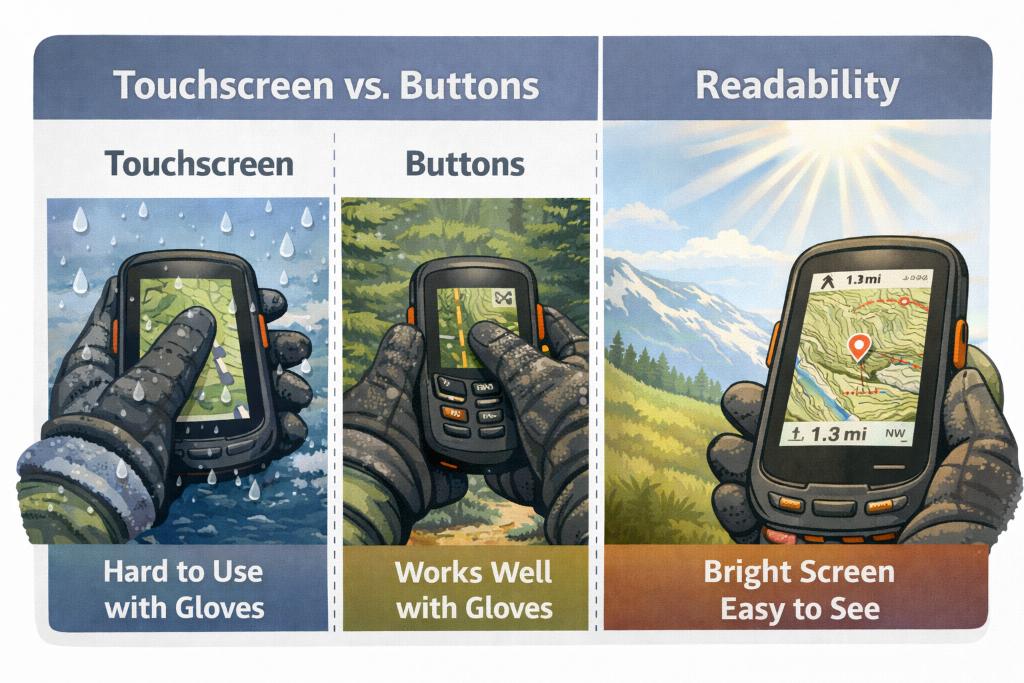
GPS Devices: Touch Screen VS Buttons
A larger screen makes it easier to inspect contours, compare nearby trails and plan a detour. The Montana 700 gives you the most space here, while the GPSMAP 67i provides a smaller color map display. A simple monochrome screen can be enough if you mainly want to follow a line or check a bearing.
Touchscreens feel familiar if you usually navigate on a phone. Moving around a map, zooming and entering information can be more straightforward than using directional buttons. This is especially appealing if you will also use the unit on a bike or vehicle mount.
We generally favor physical buttons for winter hiking. They can be easier to locate by feel and use with gloves, rain or snow. Touchscreen performance depends on the screen, gloves and conditions; try the device with your usual gloves if possible. The Montana is designed for glove use, but that does not make every pair of thick gloves equally practical.
Size alone does not decide readability. Contrast, daylight visibility, backlight settings and the way information is arranged also matter. Frequent screen use and a bright backlight can increase power consumption. Practice marking a waypoint and returning to the navigation screen before heading out.
Compass, Altimeter and Extra Features
The most useful outdoor sensors are the compass, altimeter and barometer, often called ABC functions. An electronic compass shows your direction while you stand still, which helps at a confusing junction or when checking a bearing in fog. All five devices here have one. Follow the calibration instructions and keep the device away from magnetic interference.
A barometric altimeter estimates elevation from air pressure. It can help you identify your position using the height of a pass, a contour line or another terrain feature. The GPSMAP 67i, Montana 700 and Foretrex 801 include this sensor. The eTrex SE and Mini 2 do not have a barometric altimeter.
A calibrated barometric altimeter can provide useful, steady elevation information, but changing weather can make its readings drift. Calibrate it at a known elevation where possible. Pressure trends can also suggest a weather change, although climbing itself lowers the surrounding air pressure. Treat the barometer as one source of information alongside forecasts and what you can see around you.
Other extras include phone notifications, sensor connections, geocaching and route sharing. We would prioritize the features that help with your own trips. Connections can make planning and reviewing a hike easier, but check which functions depend on a phone or internet access and allow for their effect on battery use.
Satellite Messaging, SOS and Subscriptions
Receiving a GPS position does not mean a device can send your location to someone else. If you regularly hike beyond mobile coverage, we would consider the GPSMAP 67i or inReach Mini 2. Both can send and receive satellite text messages, share your location and contact Garmin Response through interactive SOS.
That connection can be useful for checking in with family, arranging a pickup or explaining a change of plans as well as requesting emergency help. A usable view of the sky matters, and messages may take time to send. Satellite communication does not replace route planning or navigation skills.
Routine messages and shared tracking require an active inReach plan. Check the ongoing cost, message allowance and tracking options before buying, especially if you want to send frequent updates. Typing on a small device can be slow, so pairing a phone is useful even when the satellite unit can work independently.
Garmin also supports SOS during an eligible suspended plan on the GPSMAP 67i and Mini 2. This requires prior activation, updated software and setup through Garmin Messenger. Suspension can last up to 12 consecutive months before the device moves to the paid Enabled plan. Check Garmin’s current setup requirements before relying on this option; a canceled or never-activated subscription is different.
For us, the practical choice is between a mapping and messaging device such as the 67i, or a separate map device and compact messenger. Consider the terrain, how remote the trip is and which setup you will carry consistently. If you travel abroad, also check local rules for satellite communicators.
Battery Life and Charging
Compare battery life in the mode you expect to use. Standard GPS navigation, satellite tracking and expedition mode place different demands on the battery. A claim of several weeks does not necessarily mean continuous, detailed recording with frequent map use.
Expedition modes usually extend runtime by recording fewer positions and reducing other functions. This gives you a less detailed record of the hike and may be a poor choice when closely spaced junctions or an accurate return track matter. Screen brightness, GNSS settings, sensors, wireless connections and temperature can also affect endurance.
We like replaceable batteries for trips with limited charging opportunities. The eTrex SE takes two AAs and the Foretrex 801 takes two AAAs. The Montana 700 can use three AAs with an optional holder. Carrying spares lets you restore power without waiting for a recharge.
A rechargeable unit can work just as well with a suitable power bank and cable. Cold conditions can reduce available battery power, so allow a reserve and follow the manufacturer’s charging-temperature limits. For a long trip, carry spare batteries or enough charging capacity for your planned use. For a day hike, start with sufficient power and know how to change settings if the walk takes longer than expected.
Durability, Water Resistance and Conditions
A hiking GPS needs to cope with rain, wet snow and regular handling. All five devices here have an IPX7 water rating, which covers accidental immersion up to one meter deep for 30 minutes. This is useful protection for an unexpected drop in a stream; it is not a diving rating.
Check the small details as well as the rating. Keep battery compartments and port covers closed where fitted, inspect seals for dirt or damage and dry the charging port before connecting a cable. A secure lanyard, suitable case or screen protector can also help with accidental drops.
Garmin lists environmental testing for the GPSMAP 67i, Montana 700 and Foretrex 801. Such testing describes particular conditions; it does not make a device impossible to damage. For winter, desert or high-mountain trips, check the stated operating and charging temperatures for your model.
Pay attention to battery doors, charging ports, hinges and attachment points. They need to remain easy to use with cold hands and wet gloves. We would rather have a secure, accessible mount than a GPS that has to be unpacked at every junction.
Size, Weight and Carry Options
A compact GPS is easier to carry in a pocket or on a shoulder strap, which makes it more likely that you will check it when needed. Less weight is welcome on long hikes, but smaller screens give you less space for maps and may leave more work to a paired phone.
The Mini 2 is the lightest device here at 100 g, while the Foretrex keeps route guidance on your wrist. The eTrex SE and GPSMAP 67i offer a more familiar handheld format. Think about whether you will use a pocket, strap mount or lanyard, and whether you can reach the controls while carrying a full pack.
Larger devices are easier to justify when they will also be mounted on a bike, ATV or other vehicle. The Montana’s screen is its main attraction, but its bulk is harder to overlook when walking all day. For backpacking, we would balance the map space we need against how comfortably we can carry and access the unit.
Planning Software and Offline Maps
Choose a device that fits the way you prepare for a hike. Garmin Explore works with all five units here for trip planning and transferring supported navigation data. You can organize routes, waypoints and activities, mark trailheads, water sources, campsites and alternative exits, then review the recorded hike afterward.
For a simple GPS, the companion app can also provide the larger map display the device lacks. Bluetooth makes transfers convenient, while Wi-Fi on the mapping handhelds supports functions such as larger downloads. Check compatibility before relying on an older desktop program; software support is not identical across these models.
Load your route before leaving home and check that it opens on the device. For more on preparing and using route files, see our guide to GPS tracks for hiking. Practice following a course and navigating back to a saved location before depending on those functions in unfamiliar terrain.
If you use a phone for maps, download the maps as well as the route and check both in airplane mode. Saving a GPX file does not automatically save its map. Our hiking app comparison explains the main options.
For unfamiliar terrain, we also recommend an appropriate paper map and compass you know how to use. You can prepare a route map with our GPX-to-printable-map tool. Keep that backup accessible and choose a scale that shows enough detail for the route.